
GLAMBOT WORKFLOW
®
Glambot event workflow
LIVE EVENT WORKFLOW
A flexible workflow allows for operators to alternate between both paths and video templates in real time; allowing for an unlimited number of path to edit combinations live.


Select desired video template
Skip this step if using one video template
Select desired path(s)
2
IT'S AS EASY AS:
1
3
Select Go
*Example using Snappic on a cellular enabled ipad

2
1
3

RAPID SESSION TIMES
With single touch capability, operation could not be easier

EVERY OPTION AT YOUR FINGERTIPS
Mix and match paths and video templates in real time for an enhanced user and client experience.
Path- 3/4 Sweep Left
Edit- "Single Path w/Freeze Frame"

Path- Straight Push
Edit- Single Path w/Flashes

Path- Full Sweep Right
Edit- Single Path w/Reverse


HIDDEN WIRING
Wire your camera directly through the arm for a clean and reliable operation


USB-C from wrist to camera
USB-C from editing/sharing device to the back of Glambot®

An optional Bluetooth camera connection for GoPro is available for a cord free experience.
Benefit: no cords
Risk: possible trigger delay


RELIABILITY IS EVERYTHING
Architected with the operator in mind to help ensure reliability


No internet required to run Glambot®
Glambot's motion control operates entirely offline via the Glambot® Local Area Network (LAN). This architecture significantly enhances reliability by ensuring that the performance of the robot is not contingent upon internet connectivity or speed.
Online sharing
Online sharing allows users to receive videos via sms, email and QR code among others. The key benefit to online sharing is user data capture and live microsite capabilities.
Offline sharing
Offline sharing allows users to receive videos via airdrop*. The key benefit to offline sharing is operators are not dependent on the internet connection in their unique shooting enviroment
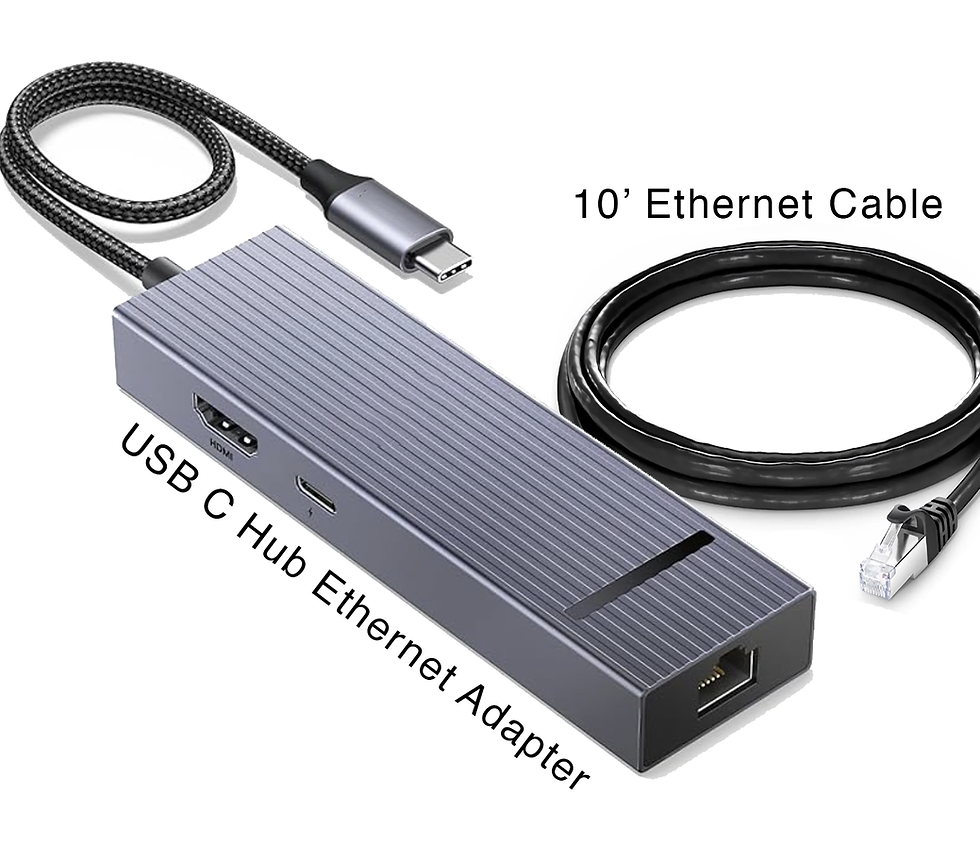
OPTIONAL DUAL BAND CONNECTION

EVEN MORE TO LOVE
Deliberately architected with the operator in mind to help ensure reliability

1 TOUCH OPERATION
Single-touch functionality when capturing in RAW format or utilizing a predefined video template with offline sharing.

UNINHIBITED CREATIVITY
Independent systems allow operators the flexibility to select the optimal movement and editing template for each guest, enhancing creative freedom.
RAPID SESSION TIME
The Glambot® workflow allows operators the ability to execute a session in 10 seconds or less. Total experience times average 60-90 seconds including guest preparation and video rendering times.

*May not be available with all video editing software providers